AI video for teachersthe hook that opens your lesson
In short
For a teacher or an educator, ClipDivision makes a short hook video: waking up in another era in first person, a science what-if, a mock nature documentary. You type the idea in one sentence, the video comes back edited with voice and captions, and you check the facts before you show it. The first one is free, then plans start at $9.99 a month.
First 15-second video free, then from $9.99 a month, cancel anytime.
Teachers and educators
Example made by ClipDivision
How to do it in three steps
- 1
Pick the question of the lesson
An era, a phenomenon, an animal: start from the question you want your class to ask.
- 2
Type the scene in one sentence
Give the place, the era and one true detail. ClipDivision writes the script, makes the shots with the voice and edits the video.
- 3
Check it, then show it
Review the facts as you would for any material, download the video in the format you picked at launch (16:9 or 4:3 for the classroom screen), and start your lesson with it.
A ready-to-run idea
Tap an idea: it lands in the slate, all you have to do is hit go.
Waking up in Rome
POV: you wake up on a street in ancient Rome at dawn and a baker hands you a loaf that is still warm.
What if, on Mars
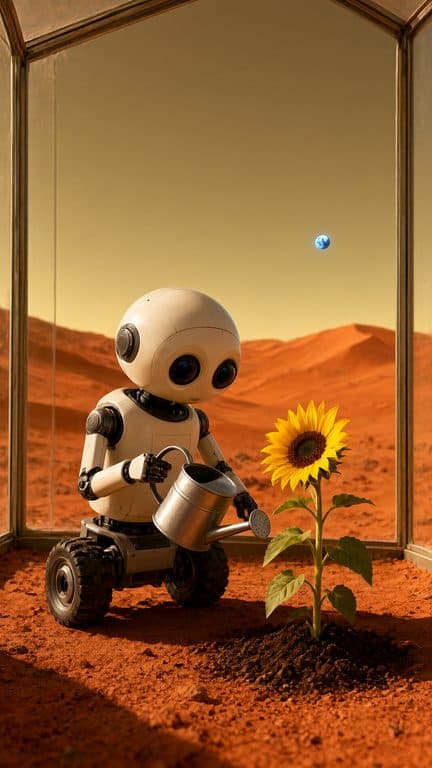
What if a small robot had to grow a single sunflower in a greenhouse set down on Mars?
Made-up documentary
A very serious nature documentary follows a hummingbird feeding on a flower in slow motion, in the morning dew.
What makes the difference
- 1
A question, not a whole lesson
The video is there to spark curiosity. It asks the question and you bring the answer: that handoff is what starts the session.
- 2
One true detail in the idea
A date, a place, a period object: the more precise your idea, the more precise the scene. Always review the result, the way you would review a textbook.
- 3
Adults, animals and creatures
ClipDivision characters are always made up: a Roman craftsman, a robot, a hummingbird. They tell the story and the class reacts.
What it costs
With Pro you get 12 min of hooks a month, which comes to $1.67 per minute. For a few lessons a year, Starter gives you 5 min a month.
Starter
$9.99
/month 5 min of video a month
$2.00 per minute
- Recommended
Pro
$19.99
/month 12 min of video a month
$1.67 per minute
Ultra
$49.99
/month 31 min of video a month
$1.61 per minute
Your first 15-second video is free. After that you pick your pace, and you can cancel anytime. Prices don't include sales tax, which is added at checkout where it applies.
FAQ
Are the facts in the video accurate?
The video is a staged scene written from your idea: it can get a period or science detail wrong. Review it before you show it, like any material, and use a slip as a way to open the discussion.
Can I show it in class?
Yes. You download the file in 1080p, in 16:9 or 4:3 for the classroom screen, and you play it without a connection.
Are there children in the videos?
Characters are adults, animals or creatures, and always made up. That is a rule of the service.
What languages do the characters speak?
Voices speak 8 languages and captions follow. Handy for a language class or a bilingual classroom.
Do I have to say the video is AI-generated?
Tell your class: it is also a good chance to talk about generated images. If you post the video on TikTok, turn on the “AI-generated content” setting. ClipDivision reminds you at every export.
Related use cases
- POV history videosYou wake up in another era: history lived in the first person.
- AI YouTube ShortsVertical Shorts with characters and a story, with no shoot and no editing.
- AI story videosA short story with a twist, played by characters who actually talk.
- AI cartoon videosShorts in 3D, anime or claymation, with characters you invent yourself.
Your turn
Type your idea or pick one from this page. We keep it while you create your account.
First 15-second video free, then from $9.99 a month, cancel anytime.
Updated November 26, 2026